A robot can repeat the same taught motion and still place a weld incorrectly if a panel is seated against the wrong datum, distorted by clamp force, or blocked from the electrode. By following each fixture part through loading, locating, clamping, welding, and inspection, you can identify how the assembly controls position and what to verify before production release.
Key takeaways
- Use 3-2-1 locating to establish position without over-constraining the component.
- Place clamps near locators to resist weld distortion without defining the part’s position.
- Coordinate fixture loading, robot access, torch clearance, and part removal before fabrication.
- Verify datum contact, clamp force, and welded-part position after maintenance.
What Each Fixture Part Does Before the Robot Welds
Accurate weld placement starts with the fixture, not the robot. Robotic welding fixture parts establish the panel’s position from the drawing’s functional datums, then hold it there while the robot follows its taught coordinate frame.
1. Locating pins enter controlled holes to set in-plane position. A round pin fixes two directions; a diamond or relieved pin fixes the remaining direction without binding from hole-position variation or thermal growth. Bushings protect replaceable locating holes and keep module interfaces repeatable.
2. Rest pads support the panel’s primary datum surfaces and establish height. Nests and datum surfaces spread support around formed features, preventing a thin flange from sagging or twisting under clamp force.
3. Clamps and grippers do not locate the panel; they press it against the pins and rest pads. Use force and contact positions that secure the sheet without denting it, then confirm full seating with sensors.
4. Backup electrodes support the sheet behind a resistance weld and complete the welding circuit. Keep them aligned with the gun so electrode force does not shift the panel or obstruct access.
If a locating surface changes, update the robot work-object or frame. Otherwise, the robot can repeat the same path while every weld lands consistently in the wrong place.
How 3-2-1 Locating Prevents Over-Constraint
The 3-2-1 locating principle constrains six degrees of freedom while leaving the component free to seat against defined surfaces. Each datum removes only the movement assigned to it:
- The primary datum provides three reactions, supporting the component and stopping movement normal to its plane plus rotation about the two in-plane axes.
- The secondary datum provides two reactions, stopping sideways movement and rotation about the remaining in-plane axis.
- The tertiary datum provides one reaction, stopping the final in-plane movement.
A round pin can establish two in-plane directions, while a diamond pin, relieved pin, or slot locator establishes the remaining direction. Two full round pins can fight hole-position variation or thermal growth, preventing the panel from seating.
Clamps must press the component onto these locators; they must not become locating elements. Excessive force can bend thin sheet metal, while locating through clamp pressure makes weld position depend on force and part variation.
Size pins for hole tolerance, wear, thermal expansion, loading clearance, and required positional accuracy—not nominal hole diameter alone. Add relief and chip clearance to every locating surface, because spatter, burrs, or chips can hold the component visibly above its datum.
Match the datum scheme to the drawing and robot work frame. Changing a locator without updating that frame creates a repeatable but displaced weld pattern.
Why Clamps Hold Position but Do Not Establish It
Clamps should press a panel into established locators, not define its position. Direct clamp force into the locating scheme, with a support or backup directly beneath each loaded area. Force applied too far from a support makes thin sheet metal bow; excessive force distorts the joint when the clamp closes.
Use fixture clamps or grippers with broad, compliant contact faces and a controlled stroke. Pneumatic and hydraulic clamp force changes with supply pressure, cylinder area, linkage angle, and clamp position, so verify the actual closed position rather than trusting nominal pressure. A clamp that reaches end-of-stroke can still hold an incompletely seated part.
Use separate checks for separate loading failures:
- Part-presence sensors detect a missing panel or bracket.
- Keying features or correct-part sensors detect reversal or the wrong variant.
- Clamp-closed and end-of-stroke sensors confirm the mechanism reached its intended state.
- A robot-start interlock blocks welding until presence, seating, and clamp status are confirmed.
Supports prevent rocking. Grippers retain the part during transfer but must release without dragging it off the datums. This keeps holding force from becoming a hidden locating force.
How Loading and Welding Equipment Must Work Together
A reliable cycle treats loading, fixturing, welding, and verification as one sequence. Each hand-off needs a detectable condition; otherwise a robot can repeat the wrong position perfectly.
1. Clear the fixture and inspect locator faces, reliefs, and chip gaps. Automated part loading places the component onto rest pads and datum surfaces, while keying features prevent a reversed or incorrect part.
2. Confirm part presence and seating with sensors. The control system must detect missing parts and incomplete seating before any clamp moves.
3. Close clamps and grippers against the datums with controlled force. Clamp-closed sensors confirm that the component is held without bending thin sheet metal, then the robot-start interlock permits welding.
4. Check welding gun access before the cycle begins. The electrode caps, nozzle, wire path, dress pack, clamps, supports, and backup electrodes must clear the programmed approach angle. Electrode cap alignment must place both caps squarely on the joint; a reachable robot point alone does not prove that contact is correct.
5. Weld using the approved gun sequence and heat input, because restraint can shift distortion into the part after release.
6. Stop welding, retract the gun, and release clamps in the specified order. Confirm removal, weld completion, and the next part’s clear loading path before restarting.
How to Choose Locator and Clamp Locations from the Drawing
Start with the component drawing’s functional datums, not convenient edges. Place the primary rests on stable, load-bearing surfaces; use a round pin for two in-plane directions and a diamond or relieved pin-and-slot locator for the remaining direction. Size each pin for hole-size and position tolerances, wear, loading clearance, and thermal expansion.
A tight pin can force the panel off its datum.
| Drawing input | Location decision | Failure prevented |
|---|---|---|
| Functional datums | Match rests and locators to the datum scheme used by the robot work frame | A repeatable but displaced weld path |
| Weld-point map | Keep locators and clamps clear of every weld, gun approach, electrode cap, and dress pack | Robot or tooling collision |
| Sheet-metal stiffness | Support near flanges, joints, and weld zones; avoid unsupported broad panels | Panel springback and clamp distortion |
| Thermal movement | Use a fixed round pin at the expansion reference and a relieved locator along the growth direction | Over-constraint during welding |
| Transfer and access envelope | Check loading direction, gripper travel, sensor sightlines, and clamp swing | A part that cannot load or release |
Place clamps over supports so force seats the panel rather than bends it. Excellent Tools can use the drawing, weld-point map, and robot clearance envelope to define these fixture-part locations before manufacture. After any datum change, update the robot frame and verify datum-to-joint dimensions on a loaded, clamped component.
Related products
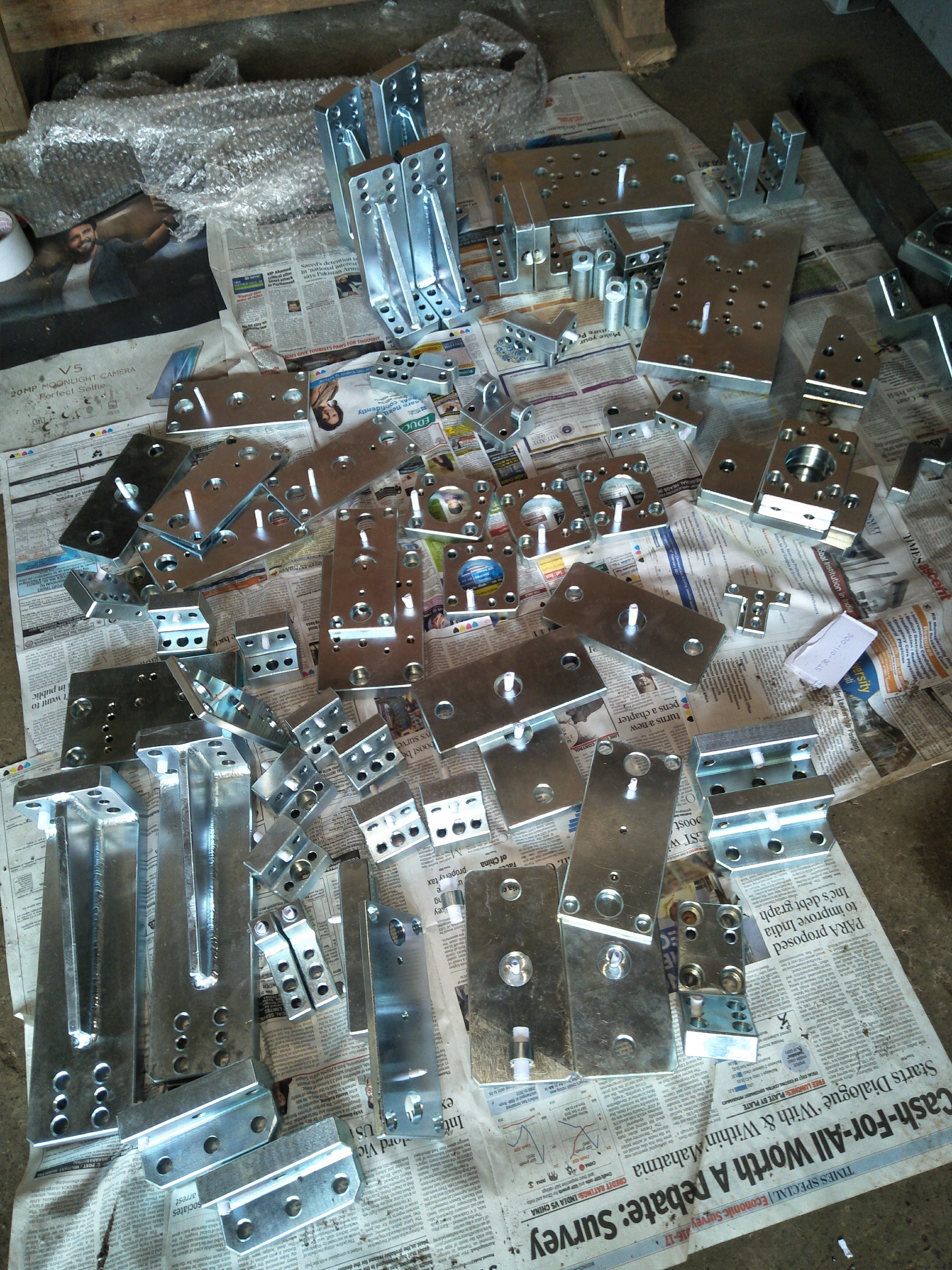 | Precision parts BIW welding fixtures Assembly parts Robotic welding fixture parts View product → |
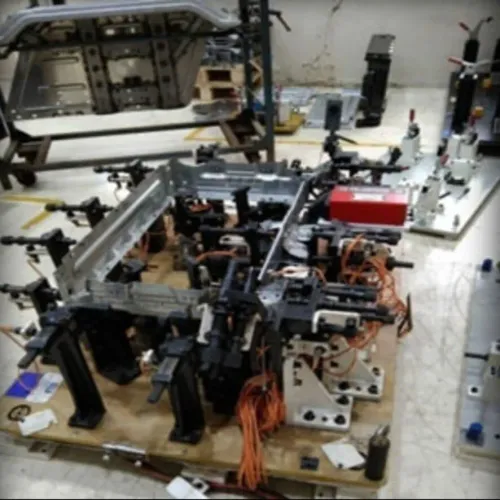
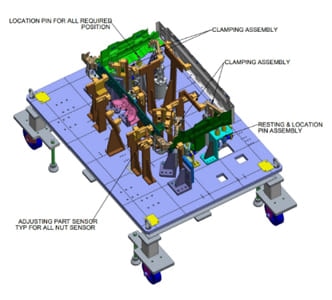 | BIW Welding Robotic Automotive Fixtures BIW Welding Robotic Automotive Fixtures We design and manufacture Robotic Spot Welding Fixtures and Robotic Welding Lines in the field of BIW (Body in White), subsequently keep in touch... View product → |
How to Verify Position After Clamping, Welding, and Maintenance
After a collision, changeover, or cleaning, inspect the fixture with the actual component loaded and clamped. A loaded fixture inspection must confirm datum-to-joint dimensions against the component drawing, full seating on rest pads, correct clamp closure, part-presence signals, and clear locator faces. Check for spatter, chips, burrs, and scale inside nests or pin holes.
| Check | What it proves | Failure indicates |
|---|---|---|
| Datum-to-joint dimensions | The component occupies the designed position | Loading, locator, or part variation |
| Locator wear | Pins, bushings, pads, and datum faces retain size and contact | Wear, burrs, or contamination |
| Robot repeatability | The robot returns its tool centre point to the same reference targets | Collision damage, loose mounting, or mastering drift |
| Frame and path check | Robot work-object, fixture datum, gun, and weld points share one coordinate system | Systematic weld displacement |
| Changeover interface | Hardened pins, bushings, and datum faces relocate a module consistently | Loose clearance-hole mounting |
Run fixture validation with a master component or certified gauge after replacing locator parts, repairing the base, or changing the robot frame. Confirm every weld point and approach position, not just one reference point. Record measured offsets, locator condition, and frame corrections; do not “teach around” a displaced fixture without correcting its cause.
A successful dry run also requires correct-part keying, clamp-closed confirmation, electrode clearance, and the robot-start interlock.
Frequently asked questions
What does each robotic welding fixture part do before welding?
Locators contact the component’s functional datums and establish its position; clamps apply force to keep it against those locators; supports prevent deflection; and sensors or stops confirm loading.
How does 3-2-1 locating prevent over-constraint?
The method uses three points on the primary plane, two on the secondary plane, and one on the tertiary plane to restrict six degrees of freedom without forcing conflicting contacts.
Why do clamps hold position but not establish it?
A clamp supplies holding force, but the locators define the component’s coordinates. Clamping an incorrectly located part only locks the error in place.
How should fixture locations be chosen from an engineering drawing?
Use the drawing’s functional datums, tolerance zones, weld access requirements, and distortion risks to select locator and clamp positions.
What should you verify after clamping, welding, or fixture maintenance?
Check datum contact, locator wear, clamp operation, sensor status, robot access, and critical component dimensions against the drawing before returning the cell to production.